Whatif
A desktop AI product workspace. Ask a product question, get a working version you can click through, then deliver it to your own repository. Built and shipped end to end: the product thinking, the brand, the desktop app, and the site it lives on.
The Problem
Good ideas die in the gap between asking and seeing.
Someone asks what if we changed onboarding. The honest answer is that nobody knows until it exists, so the question gets answered with a document, a static design, or an argument. The expensive way to find out is to build it and see.
Whatif closes that gap. The question becomes something you can actually click through, in hours rather than sprints, before anyone commits engineering time to it.
And the bolder idea gets a fair hearing, because trying it costs almost nothing and every version is kept, so exploring is never a one way door.
The Workspace
One place to plan, build, version, and deliver.
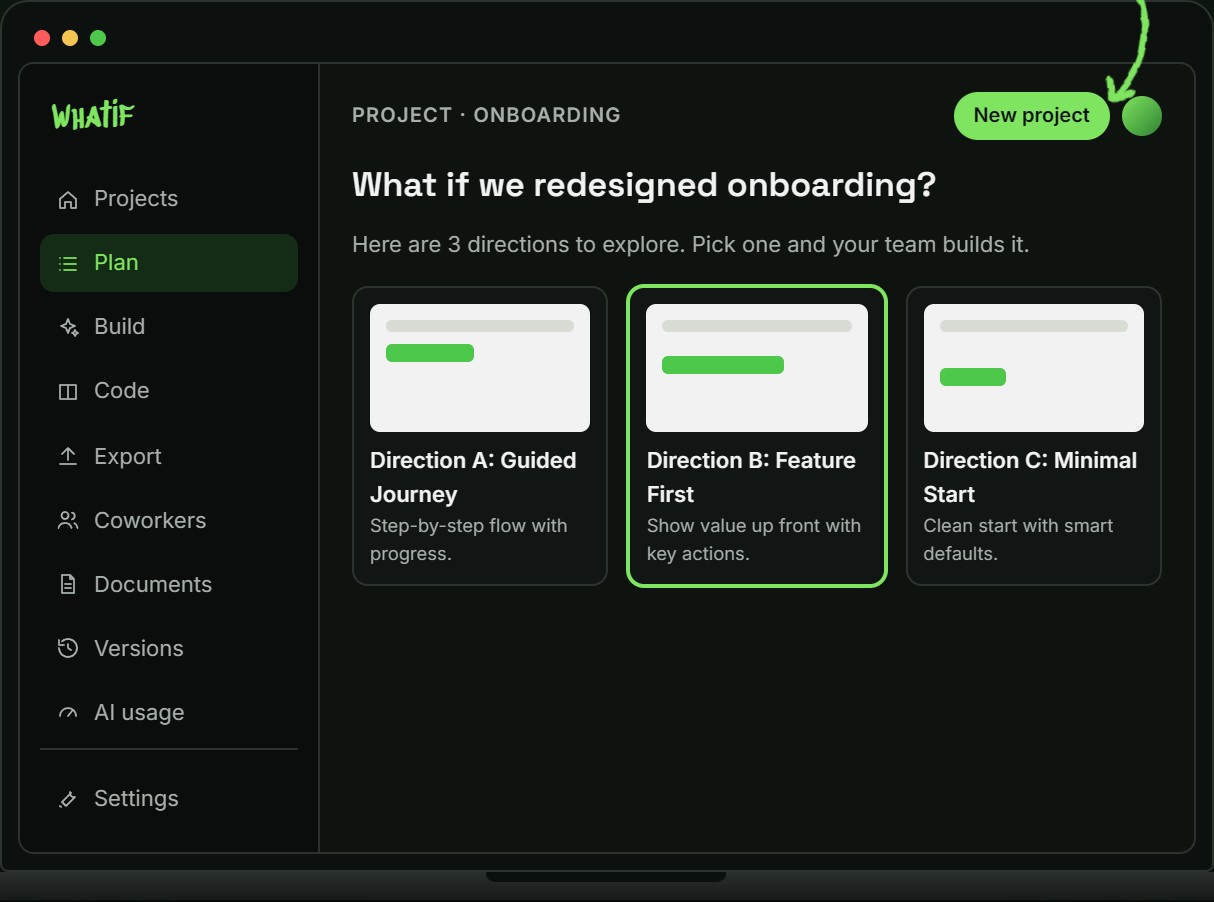
A project is a folder on your computer with everything about the work in one place. Start empty, or bring in a repository you already have along with the documents, links, and context that matter.
Plan, Build, Code, Export, Coworkers, Documents, Versions, and AI usage are all one workspace rather than eight disconnected tools.
What Was Built
A complete product, not a demo.
A question, not a prompt
Work starts with a real product question: what if we redesigned onboarding? The workspace turns it into a plan the team can act on, with the directions worth exploring laid out before anything gets built.
AI coworkers, not one chat
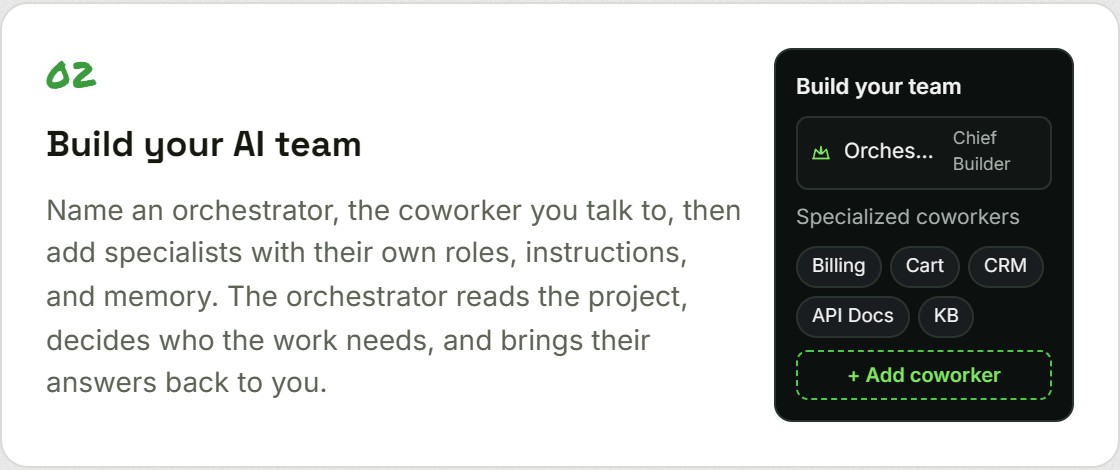
An orchestrator reads the project, decides which specialists the work needs, and brings their answers back. Each coworker carries its own role, instructions, and memory, so the team does not start from nothing every session.
Working versions, not mockups
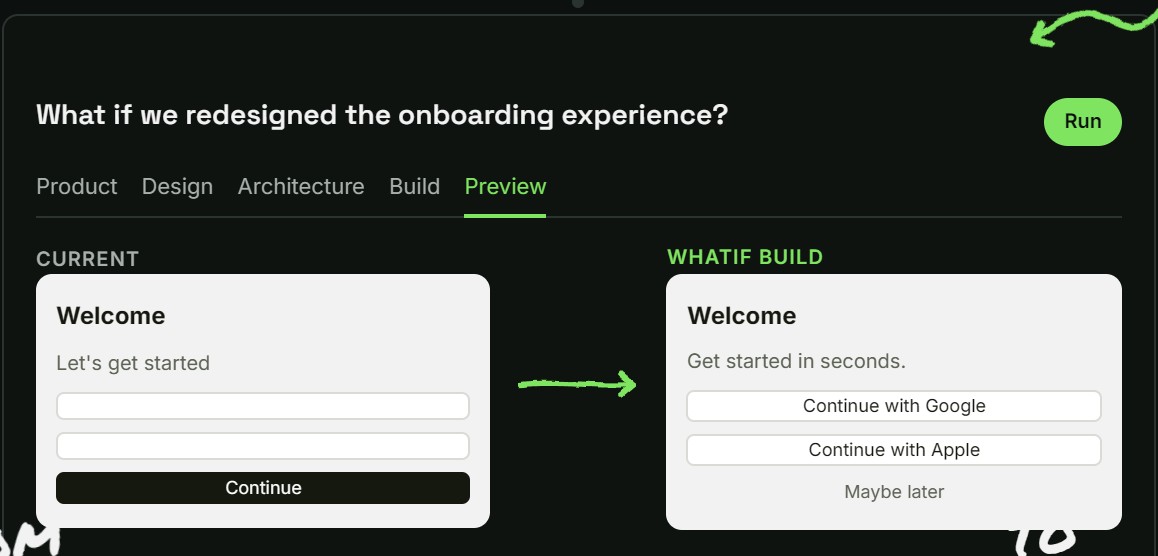
Every direction becomes something you can actually click through, at any size, and point at. Feedback lands on the page itself rather than in a document describing the page.
Every build kept
Try the bolder idea beside the one that already works. Every version is saved, so a direction that stops working is never a dead end and you can return to any earlier point.
Runs on the accounts you have
It drives your own locally installed Claude Code and Codex. No API keys to manage, no provider credentials held in anyone's cloud, and no model execution hosted anywhere but your machine.
Yours to keep or yours to ship
Connect a repository and the team delivers the work as a branch or a pull request for review, approval gated. Or connect nothing: the project still plans, builds, versions, and runs, and the folder stays on your computer.
From Question To Reality
Compare the bolder idea against what already works.
A variant is a line of work kept apart from the main one. Try the riskier direction without putting the safe one in danger, then promote whichever version wins.
Because every build is saved, a direction that turns out badly costs an afternoon rather than a release.
The Team Model
Not another AI chat. A team that remembers.
A single assistant forgets, works alone, and only knows what you paste into it. Whatif runs the same models as a team of coworkers with shared project memory, context, and tools, led by an orchestrator that decides who the work needs.
They run on the Claude and Codex accounts you already have, on your machine. No API credentials, and no model execution hosted anywhere else.
Architecture
Local by design, and that is the hard part.
Anything that runs a model in the cloud has to hold your credentials, see your code, or both. Whatif does neither. It is a desktop application that drives the AI tools already installed on your machine, so your code, your files, your saved versions, and your sign ins stay where they are.
The only thing that ever leaves is a push to a repository you connected, and every consequential step asks first.
What This Proves
One person owned every layer of it.
The product thinking
What it is for, who it is for, what it deliberately refuses to do, and why local execution is the constraint the whole thing is built around.
The build
A desktop application with auto updating releases, a real authentication and entitlement path, and a marketing site, shipped and iterated in public.
The brand
The name, the voice, the visual identity, and a full rebrand carried through the site and every screen of the application.
That is what product engineering means here: the same person decides what to build and then builds it, so nothing is lost in a handoff between the two.
What if this were your product?
Whatif went from a question to a shipped desktop product. The same end to end work is what I do for clients: decide what to build, build it, and hand over something that runs.